

How DNS Works
Every time you visit a website, your device converts the domain name (like "google.com") into an IP address. This is called DNS resolution, and it typically goes through a DNS server run by your Internet Service Provider (ISP).
So your ISP keeps a log of every website you visit, even if the content itself is encrypted with HTTPS.
What Happens When You Use a VPN
When you connect to a VPN, your internet traffic goes through an encrypted tunnel to the VPN server. A properly configured VPN also sends your DNS requests through this tunnel, using the VPN provider's own DNS servers.
Your ISP can no longer see which websites you're visiting. All they see is encrypted traffic heading to the VPN server.
When DNS Leaks Happen
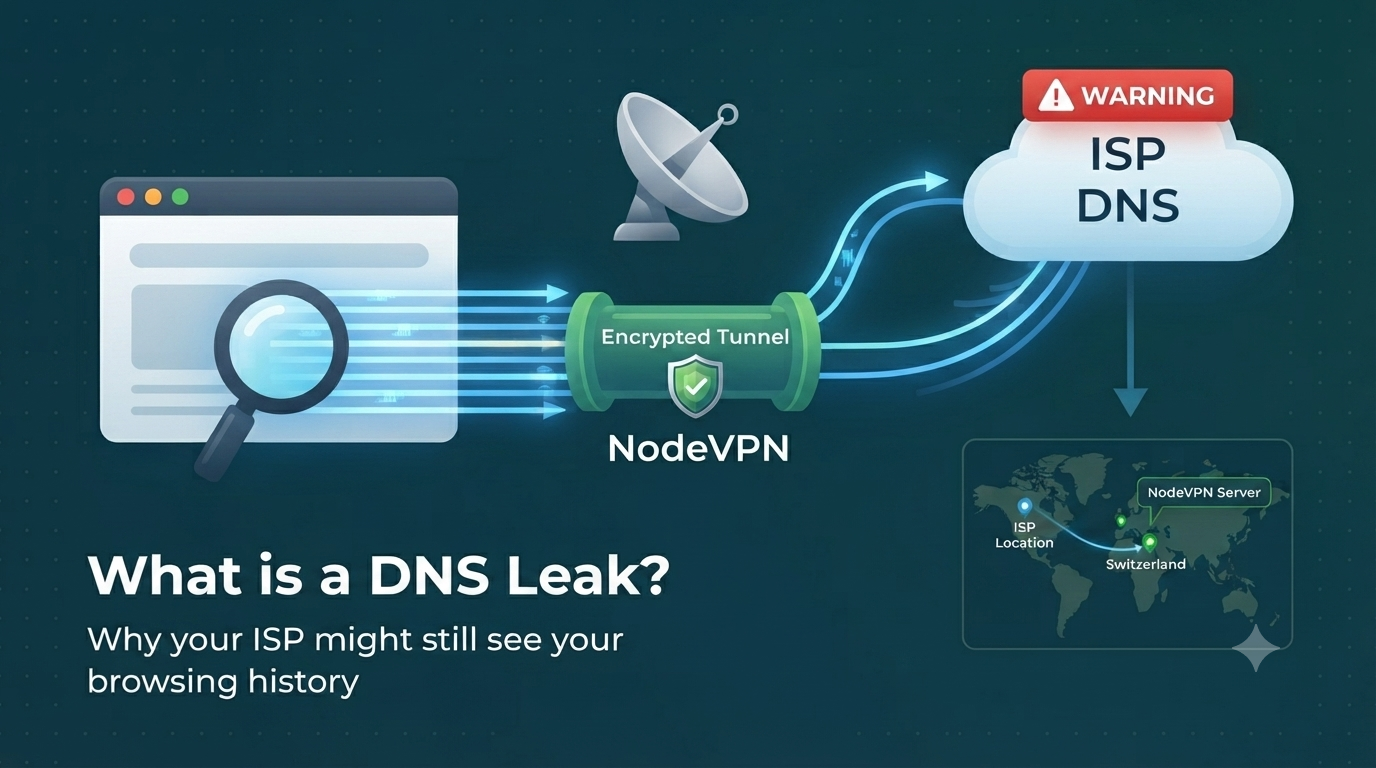
A DNS leak happens when your DNS requests bypass the VPN tunnel and go directly to your ISP's DNS servers (or another third-party DNS). There are several common causes:
- Browser Secure DNS (DoH): Modern browsers like Chrome and Firefox can override your system DNS with their own DNS-over-HTTPS provider (Google, Cloudflare). This bypasses your VPN's DNS entirely.
- Operating system DNS fallback: Some operating systems fall back to the default DNS if the VPN's DNS doesn't respond quickly enough.
- IPv6 DNS requests: If your VPN only tunnels IPv4 traffic, IPv6 DNS requests may leak to your ISP.
- Split tunnelling: If certain apps or domains are excluded from the VPN tunnel, their DNS requests may leak.
- Misconfigured VPN: Some VPN clients don't properly override system DNS settings.
Why DNS Leaks Matter
Even if your actual web traffic is encrypted through the VPN, a DNS leak exposes your browsing patterns to your ISP. They can see every domain you visit, when you visit it, and how often. In many countries, ISPs are legally required to retain this data, and they may share it with government agencies or sell it to advertisers.
How to Detect a DNS Leak
The most reliable method is a tool that generates unique random domain names and checks which DNS servers resolve them. That's exactly what Node On? does. It creates test domains that only our authoritative DNS server can answer, then logs which DNS resolvers query them.
If you see your ISP's DNS server in the results, you have a DNS leak.
How to Fix a DNS Leak
- Disable browser Secure DNS. In Chrome: Settings > Privacy and Security > Use Secure DNS > Off. In Firefox: Settings > Privacy & Security > DNS over HTTPS > Off.
- Use your VPN's DNS. Enable NodeDNS or your VPN provider's DNS in the VPN app settings.
- Enable IPv6 leak protection. Most VPN apps have this option in their settings.
- Disable split tunnelling. Make sure all traffic goes through the VPN tunnel.
- Use a VPN with a kill switch. This prevents any traffic from leaking if the VPN connection drops.